
AI Interior Design - Interio
Deep Flow AppsHouse & Home
4.5254.00 Reviews
- Version
- 5.1.2
- Installs
- 1.00M
- Age Rating
- Everyone
Screenshots
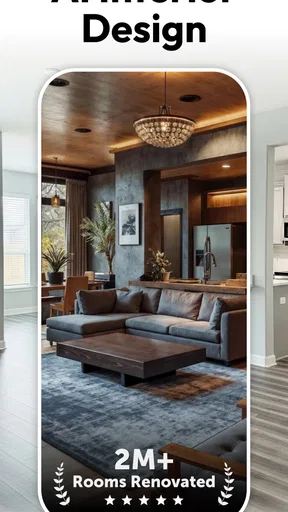
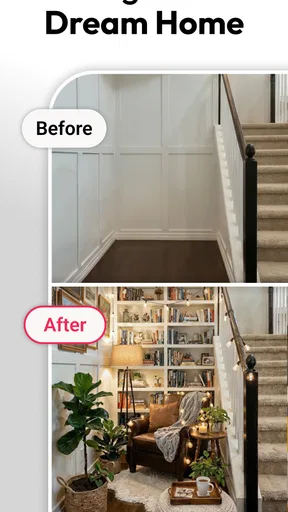
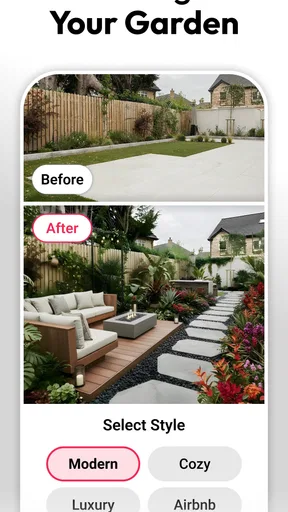
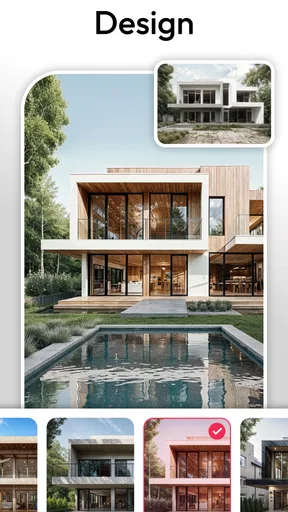
Our Review of AI Interior Design - Interio
 Analysis by Appyee
I find AI Interior Design - Interio most useful as a way to test a decorating direction before I spend time rearranging a room or shopping for new pieces. It puts visual experimentation within easy reach, which is appealing if you have ideas but struggle to picture them in your own space. I would treat its designs as inspiration, not as a substitute for careful measuring or a professional plan: a convincing room image can help narrow your taste, but it cannot settle every practical decision.
A quick visual check before you commit
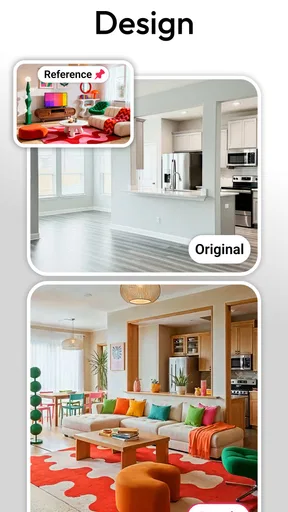
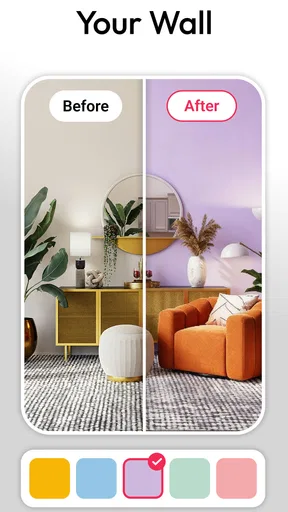
A realistic use for the app is planning a small living-room refresh on an ordinary evening. I might photograph the room as it is, try a few different looks, and save two or three that feel promising. The next day, I could compare those images with the furniture I already own and decide whether a new color direction is enough, or whether I actually need to replace anything. That pause matters: it helps separate “I like this picture” from “this change makes sense for my home.”
The same approach works for a bedroom that feels unfinished, or for a rental where I want to explore a different mood without making permanent changes. Before sharing a design with a housemate, partner, or landlord, I would explain that the image is a concept rather than a guaranteed preview of the final room. That makes the app more useful in a real conversation and less likely to create unrealistic expectations.
Make comparisons more useful
One practical tip is to change one design choice at a time when you are comparing options. If I switch the style, colors, and furniture direction all at once, it becomes hard to tell which change made a version feel better. Keeping the room and most of the choices consistent turns the saved gallery into a more meaningful comparison rather than a collection of unrelated ideas.
I would also take the source photo with the room reasonably tidy and the main furniture visible. That is not a special technical requirement; it is simply a way to make the image easier to judge. If a key piece is hidden by clutter or the framing leaves out a corner, the result may be less helpful for deciding how that part of the room could work. For narrow rooms or awkward layouts, I would photograph the space from more than one useful angle when possible, then avoid treating any single view as the whole answer.
Where an AI concept has limits
The main trade-off is that a visual makeover can look more definite than the decisions behind it really are. A room image is not a floor plan, a measurement check, or confirmation that a particular piece will fit through a doorway. Before buying furniture, I would measure the room, entrances, and existing pieces separately. I would also check real product dimensions and materials rather than relying on how an item appears in a generated design.
That distinction is especially important if you are planning a renovation, dealing with fixed plumbing or electrical points, or trying to solve a storage problem that depends on exact dimensions. For those jobs, a measured room-planning tool, a paper sketch, or advice from a qualified professional is a better next step. Interio’s appeal is visual exploration; I would not use it as evidence that a construction choice is safe, compliant, or physically workable.
Who will get the most from it
I can see this being a good fit for renters, first-time decorators, and anyone who wants a low-pressure way to discover which styles feel right before making a larger commitment. It is also useful when several people need a starting point for a conversation: instead of debating abstract color names, you can look at saved room concepts and discuss what you like or would change.
It may be less satisfying if you already know exactly what you want and need accurate dimensions, detailed furniture placement, or a materials list. In that case, a conventional room planner gives more control over scale and layout, while a catalog or shopping app is better for checking actual items and availability. I would use Interio earlier in the process, when the main question is “What direction should this room take?” rather than “Will this specific cabinet fit beside the radiator?”
AI Interior Design - Interio is a free House & Home app from Deep Flow Apps, with optional in-app purchases priced from $4.99 to $39.99 per item. It is rated for Everyone, so it is accessible to a broad audience, though the paid options are worth keeping in mind if you prefer to avoid extra spending. The app has a 4.6 average from around 35,000 ratings and has been installed over a million times. Its current version is 5.1.2, and it runs on Android 6.0 or later. Those figures suggest a widely used tool, but they do not change my main advice: start with the free experience and decide whether its visual approach fits your project before paying for anything.
Have you ever found yourself staring at your living room and thinking, "This place needs a serious makeover"? Well, let me introduce you to AI Interior Design - Interio, the app that’s about to become your new best friend. I recently took it for a spin, and let me tell you, it’s like having a personal interior designer right in your pocket.
Getting Started with Interio
First things first, getting started with AI Interior Design - Interio is a breeze. Just download it from your app store, and you’re ready to dive into a world of endless design possibilities. The app is super user-friendly, with a clean and intuitive interface that even the most tech-challenged folks can navigate.
Once you open the app, you’re greeted with a quick tutorial that walks you through its features. I appreciated this little intro because, let’s be honest, who reads manuals anymore? The tutorial is concise yet informative, giving you the lowdown on how to snap pics of your space and start transforming it with just a few taps.
Features That Stand Out
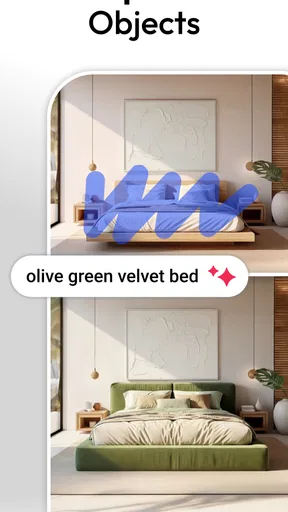
Now, let’s dive into what makes this app a game-changer. One of the standout features is the AI-powered design suggestions. You simply take a photo of the room you want to revamp, and the app analyzes it to offer a plethora of design options tailored to your taste. It’s like magic! You get to see how different styles, colors, and furniture pieces would look in your space without lifting a finger or moving a single piece of furniture.
Another feature I loved is the virtual reality view. Once you’ve decided on a design, you can switch to VR mode to experience your revamped room in 3D. This feature is super immersive and gives you a real sense of how things will look, which is super helpful when you’re trying to make decisions.
Experimenting with Styles
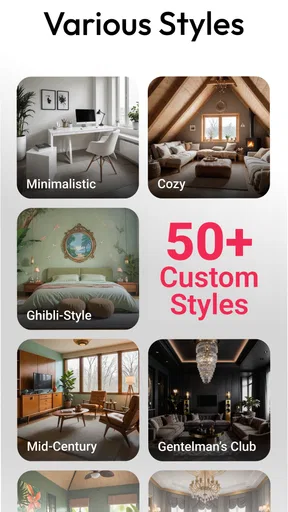
Whether you’re into minimalism, boho chic, or industrial vibes, Interio has got you covered. The app offers a wide variety of styles and themes to choose from, allowing you to experiment until you find the perfect match for your personality. I had a blast mixing and matching different elements to see what resonated with me.
One cool aspect is the ability to save your favorite designs. The app lets you create a personalized gallery of your top picks, which is handy for comparing different looks or sharing with friends for a second opinion. Plus, you can even shop for furniture and decor directly through the app, making it a one-stop-shop for all your design needs.
Why You’ll Love It
So why should you give AI Interior Design - Interio a try? Well, if you’re anything like me and have a penchant for home decor but lack the professional touch, this app is a lifesaver. It’s perfect for those who want to refresh their space without the hassle or expense of hiring an interior designer.
The app is also great for those who might be renting and don’t want to make permanent changes. You can play around with different looks and get a feel for what you like before committing to any purchases or renovations. Plus, it’s just plain fun to see your space transform at the tap of a button.
Final Thoughts
In a nutshell, AI Interior Design - Interio is a fantastic tool for anyone looking to breathe new life into their home. It’s easy to use, packed with features, and offers endless inspiration for your interior design journey. Whether you’re a seasoned decor enthusiast or a newbie, this app is worth checking out.
So go ahead, give it a try, and watch your home become the stylish haven you’ve always dreamed of. And remember, the only limit is your creativity!
Verdict
Strengths of AI Interior Design - Interio
- User-friendly interface that's easy to navigate.
- High-quality 3D visualizations for accurate planning.
- Wide range of furniture and decor options.
- Allows saving and sharing of design projects.
- Regular updates with new design trends.
Limitations of AI Interior Design - Interio
- Limited free features; subscription needed for full access.
- Occasional lag with large projects.
- Requires a stable internet connection to function.
- Some features may be difficult for beginners.
- In-app purchases can be costly over time.
Other Releases by Deep Flow Apps
View All
Learn English, Spanish: Learna
Education4.6

IQ Masters - Brain Games
Education4.2

Nerd AI - Tutor & Math Helper
Education4.6

Retake AI: Face & Photo Editor
Photography3.7
Similar Picks in This Category
View All
Universal TV Remote Control
CodeMatics Media Solutions3.9

AlfredCamera Home Security app
Alfred Systems Inc.4.7

Planner 5D: AI Home Design
Planner 5D4.5

Universal Tv Remote-Cast to TV
One Music Player4.1

Zillow: Homes for Sale & Rent
Zillow Group4.8

99acres Buy/Rent/Sell Property
infoedge.com4.3
Frequently Asked Questions
What features does AI Interior Design - Interio offer?
AI Interior Design - Interio provides a range of features including virtual room modeling, AI-driven design suggestions, and a comprehensive library of furniture and decor options. Users can visualize different styles and layouts in real-time, making it easier to plan and execute their interior design projects precisely.
Is AI Interior Design - Interio suitable for beginners in design?
Yes, AI Interior Design - Interio is designed to be user-friendly and accessible for beginners. The app offers intuitive navigation, step-by-step tutorials, and AI-powered recommendations that guide users through the design process, making it suitable for those with little to no prior experience in interior design.
Can I use AI Interior Design - Interio on both Android and iOS devices?
Absolutely, AI Interior Design - Interio is available on both Android and iOS platforms. Users can download the app from the Google Play Store or the Apple App Store, ensuring compatibility across a wide range of devices and making it convenient for users regardless of their preferred operating system.
Does AI Interior Design - Interio offer a free trial or any in-app purchases?
AI Interior Design - Interio offers a free trial period allowing users to explore its core features. After the trial, users can opt for a subscription to access premium features. The app also includes in-app purchases for additional design elements, ensuring flexibility and customization for every budget.
How does AI Interior Design - Interio ensure privacy and data security?
AI Interior Design - Interio prioritizes user privacy and data security by implementing robust encryption and secure data storage practices. The app adheres to industry standards and privacy regulations, ensuring that user data is protected while providing a secure environment for creative exploration and design sharing.
